
Skip to content
Request a demo

WellView

Oil and Gas Well Data Management Software Built Around the Complete Well Record

WellView gives drilling, completions, operations, integrity, and compliance teams one structured operational record for the well. Capture and validate data as work happens, see the well through data-drawn schematics, and keep its history ready for reporting and decisions.

As part of the Peloton Platform, WellView is oil and gas well data management software used by over 70% of the industry to keep the well record connected across planning, construction, operations, and abandonment.

Request a WellView Demo
  • CAPTURE
  • VALIDATE
  • SCHEMATICS
  • HISTORY
  • REPORT
  • CONFIGURE

35+ YEARS

of energy expertise

700+ CLIENTS

worldwide

SOC 1 & 2 TYPE 2

security on Microsoft Azure

What WellView Does

One trusted operational record for every well, from capture and validation through schematics, history, reporting, and role-based workflows.

Capture Once

Record well activity, construction details, and operational events in one structured well record instead of scattered reports and files.

One Record. Shared Context.

Validate at Entry

Use prompts, checks, and configurable validation so teams catch issues while the work is still in context.

Cleaner Data. Earlier.

Visualize the Well

Draw schematics from casing, cementing, and completions data so teams can see the well from the same operational record.

Data-Drawn. Decision-Ready.

Preserve Operational History

Keep versioned well history available for workovers, integrity, compliance, and future operational decisions.

History You Can Trust.

Report with Context

Support daily operations, well reports, and audit-ready compliance reporting from the same validated record.

Report from the Source.

Configure by Role

Adapt workflows, views, and validation to drilling, completions, operations, integrity, and compliance teams.

Your Workflows. Your Views.

How WellView Works

Manage the well record from planning through abandonment with operational data, validation, schematics, reporting, and decisions.

Plan and Prepare

Organize planning data, well construction context, and the starting operational record before work begins.

Well Setup: Build the well record structure once, so every team captures data the same way from planning onward.

Construction Context: Keep planned well design and operational setup connected to the same record.

Role Access: Give planning, drilling, and operations teams the views they need without duplicating the well.

Ready for Capture: Start with a record that can accept validated field and office updates as work begins.
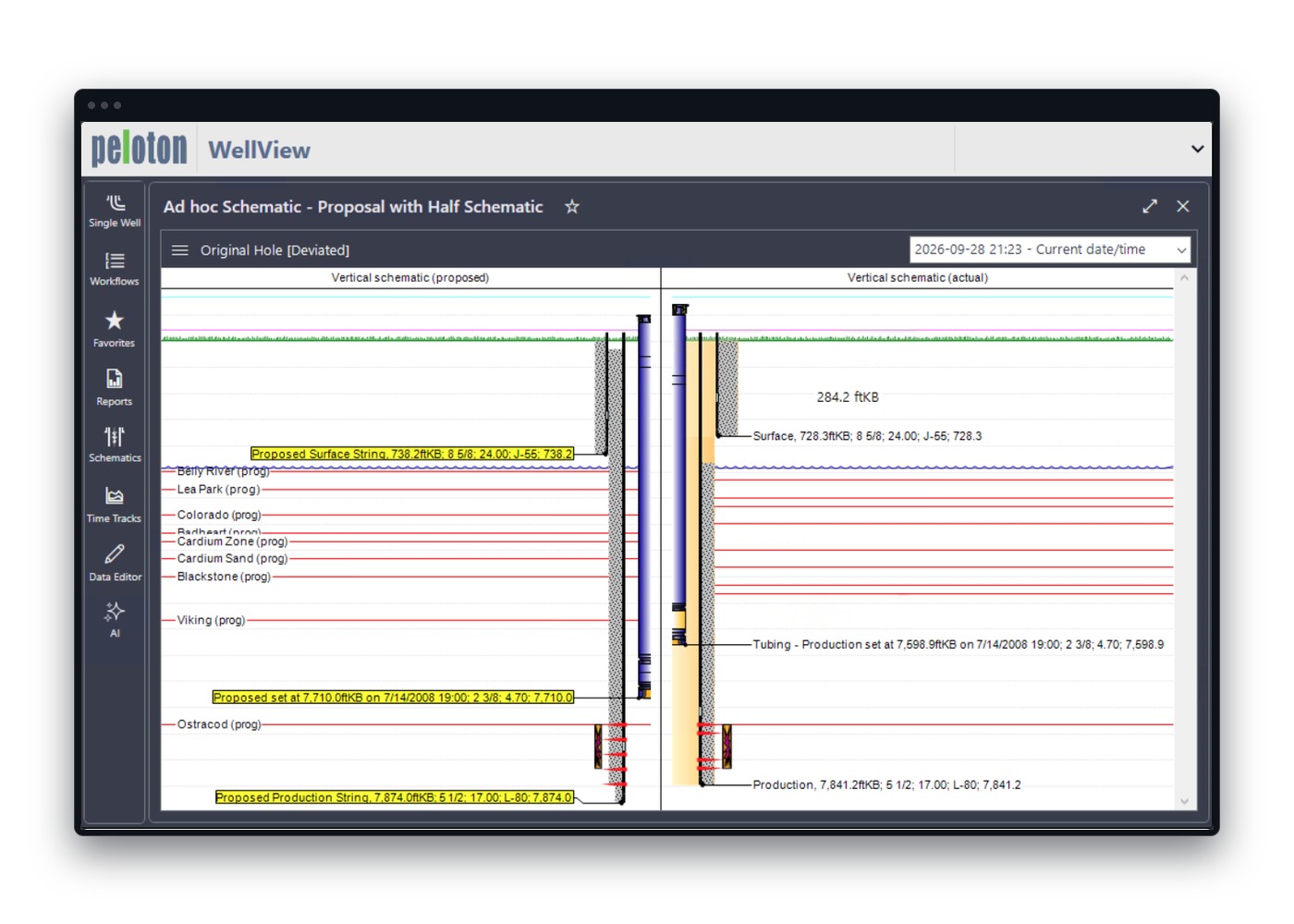
WellView schematic comparing a well's proposed casing and tubing design with what was actually run.

Drill and Capture

Capture drilling activity into the operational well record as work happens, with validation at entry.

Operational Capture: Record drilling activity, events, and supporting well data in the shared well record.

Validation: Use prompts and configurable checks so issues surface while the work is still in context.

Shared Visibility: Give office and field stakeholders one operational view of the well as it is being constructed.

History as You Go: Preserve what happened on the well instead of reconstructing it later from disconnected files.
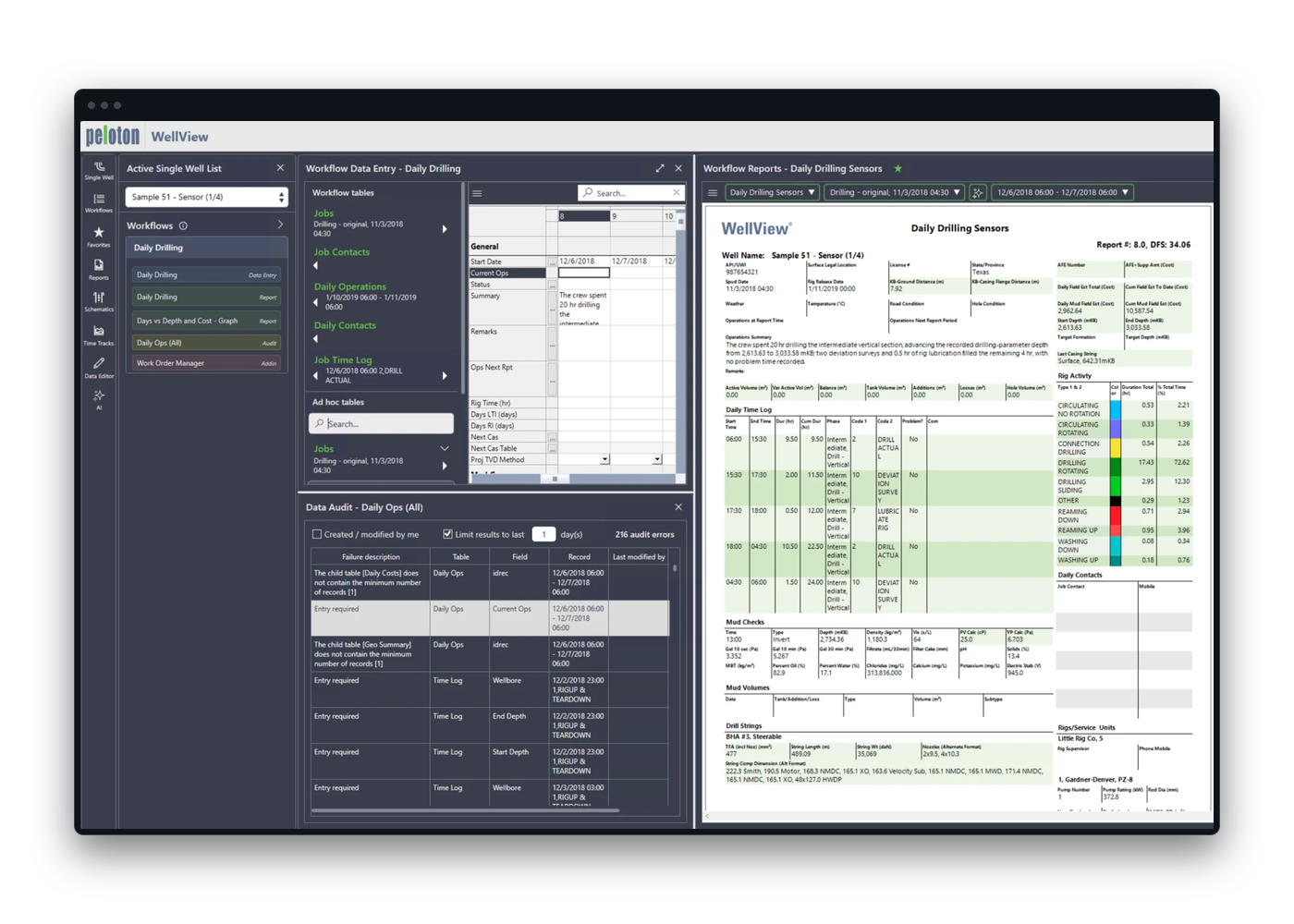
WellView daily drilling data entry with its data audit of entry errors, beside the Daily Drilling Sensors report with rig activity and the daily time log.

Complete and Hand Off

Keep completions data, schematic context, and the operational record together for the teams that take the well next.

Completions Records: Capture completions activity in the same well record used for drilling and later operations.

Data-Drawn Schematics: Visualize casing, cementing, and completions data from the operational record.

Handoff Context: Give operations and integrity teams a complete well record instead of a pile of service files.

Connected Completions Data: Peloton Frac loads standardized stage summaries and costs into WellView automatically, so completions data stays with the well.
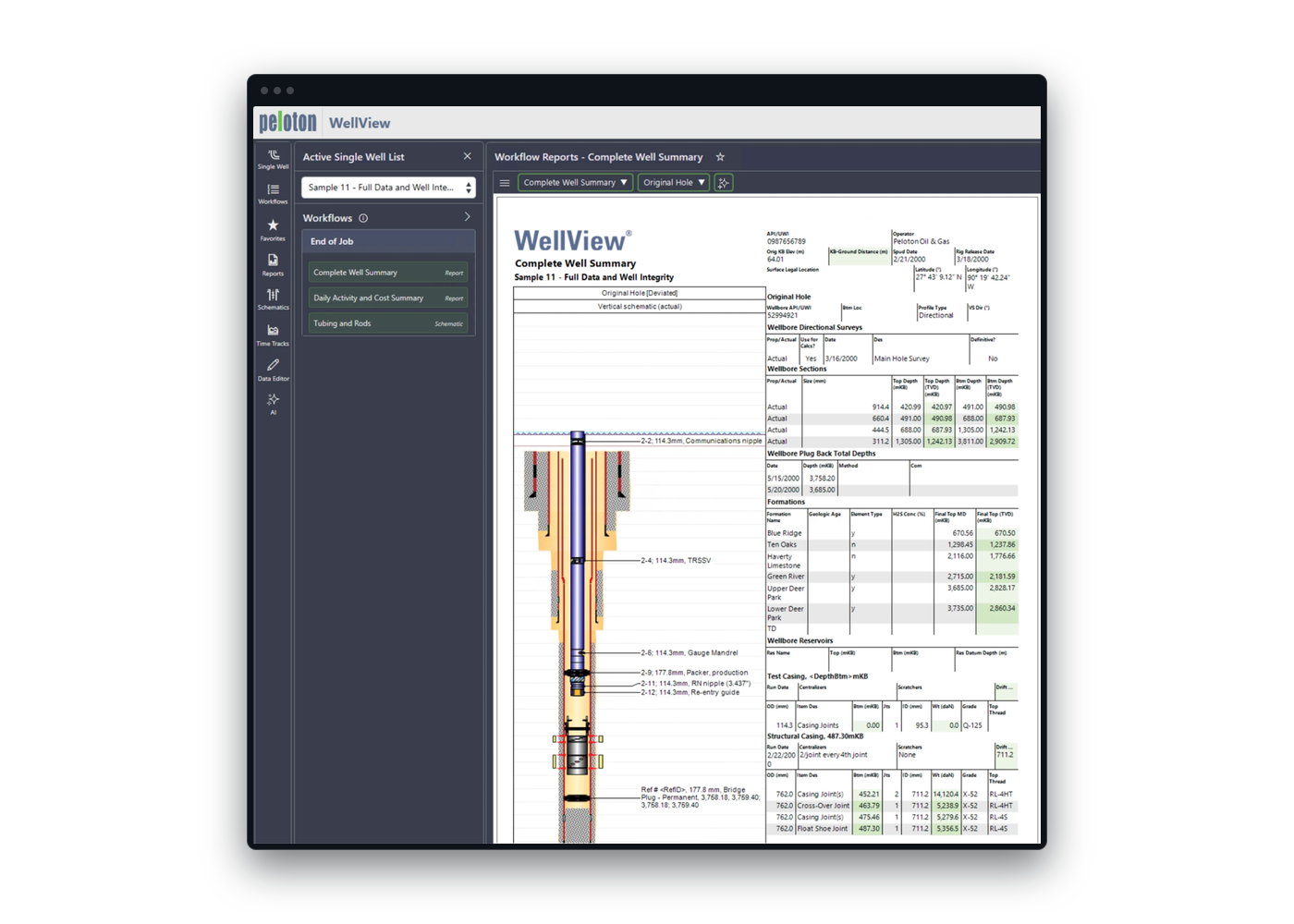
WellView Complete Well Summary report at end of job, with the wellbore schematic beside its sections, formations and casing strings.

Operate, Maintain, and Protect Integrity

Use the well record for operations, workovers, integrity, and compliance without losing historical context.

Operations Record: Keep daily well activity and interventions connected to the same operational source of truth.

Integrity Context: Support integrity and maintenance work with the well's validated history and schematic view.

Audit-Ready History: Use version control, validation workflows, and compliance reporting to support audit-ready records.

Production Handoff: Connect WellView operational history with ProdView production records where teams need both views.
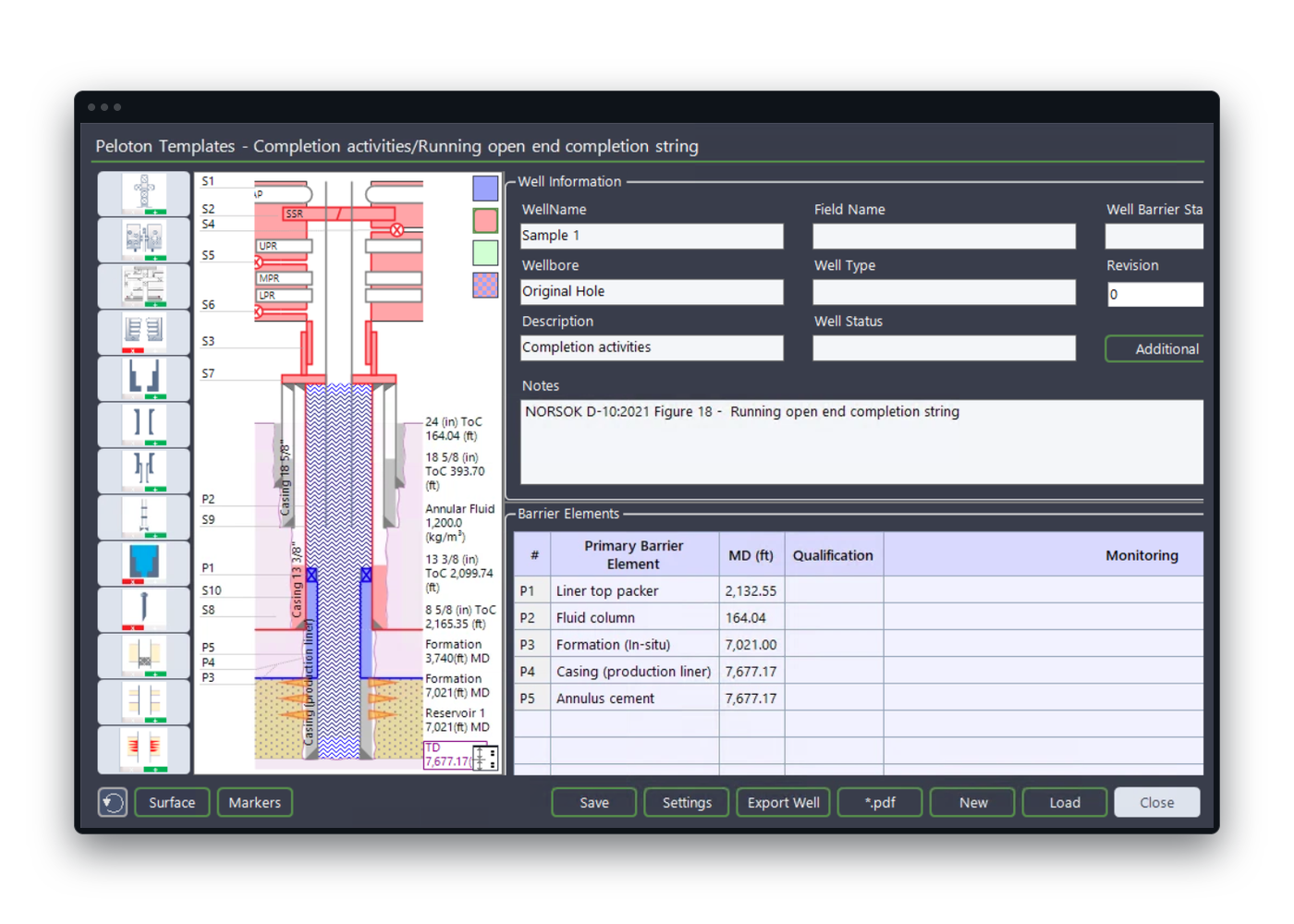
WellView well barrier schematic listing the well's primary barrier elements beside its barrier diagram.

Abandon and Preserve the Final Record

Retire the well with a complete operational history that remains available for reporting and later review.

Final Well Record: Preserve the operational and structural history needed when the well is plugged and abandoned.

Reporting Context: Keep validated records available for compliance reporting and internal review.

Long-Term History: Maintain the well's story after operations end instead of scattering it across archives.

Platform Continuity: Keep the final well record connected across the Peloton Platform as one source of truth.
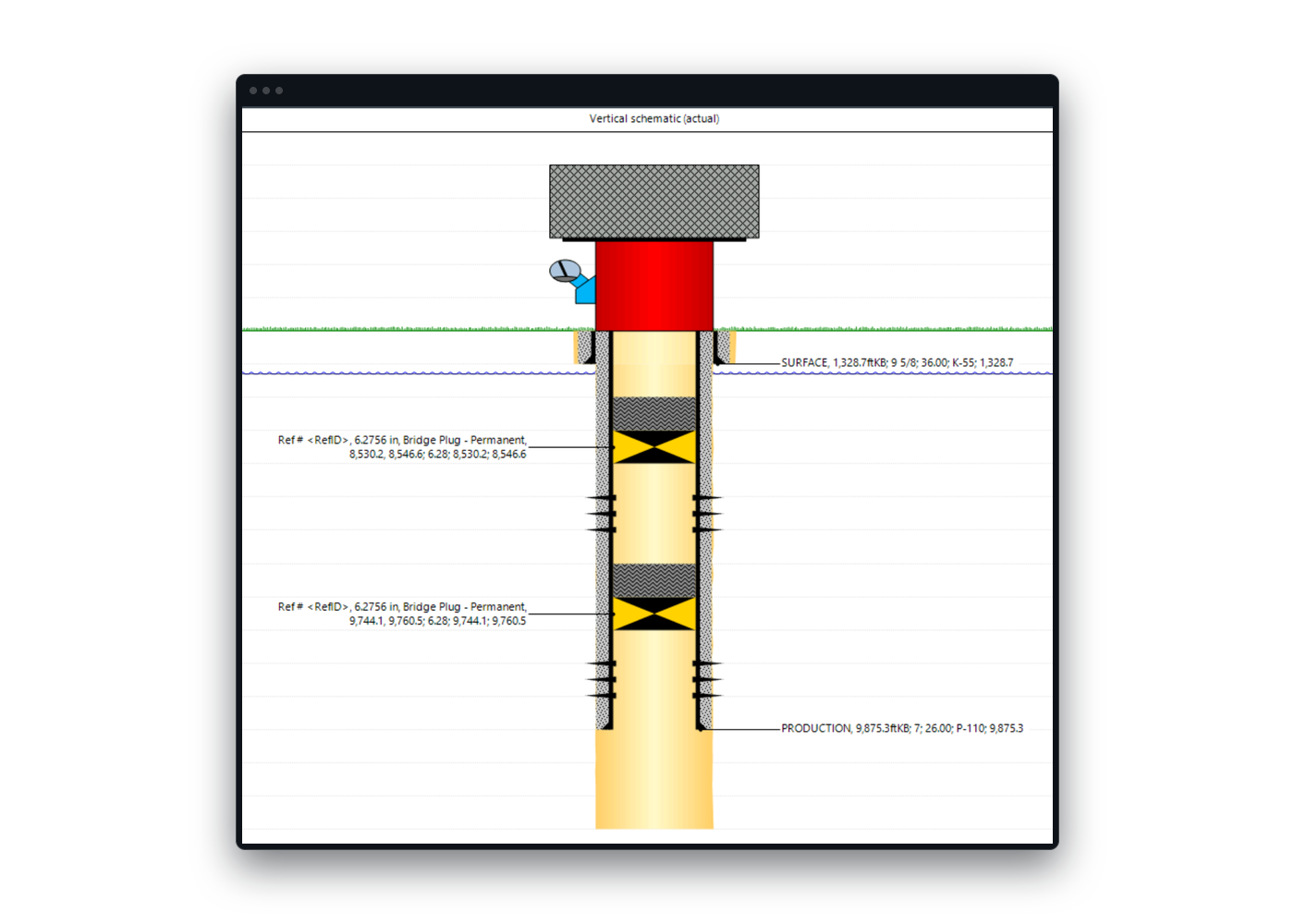
WellView schematic of a plugged well with two permanent bridge plugs, drawn from the well record.

Partner Data Exchange

Turn the reports partners send, from daily drilling and completions to workovers and more, into WellView data, without re-typing.

Forward the Report: Send partner reports to a dedicated PDX inbox, or upload PDF and Excel files directly.

AI Mapping: Every value mapped to the right WellView table, whatever the report's layout.

Its Own Database: Partner wells load into a separate WellView database, kept apart from operated data.

Stay in Control: Approved senders, one-click Re-map, and every report logged.
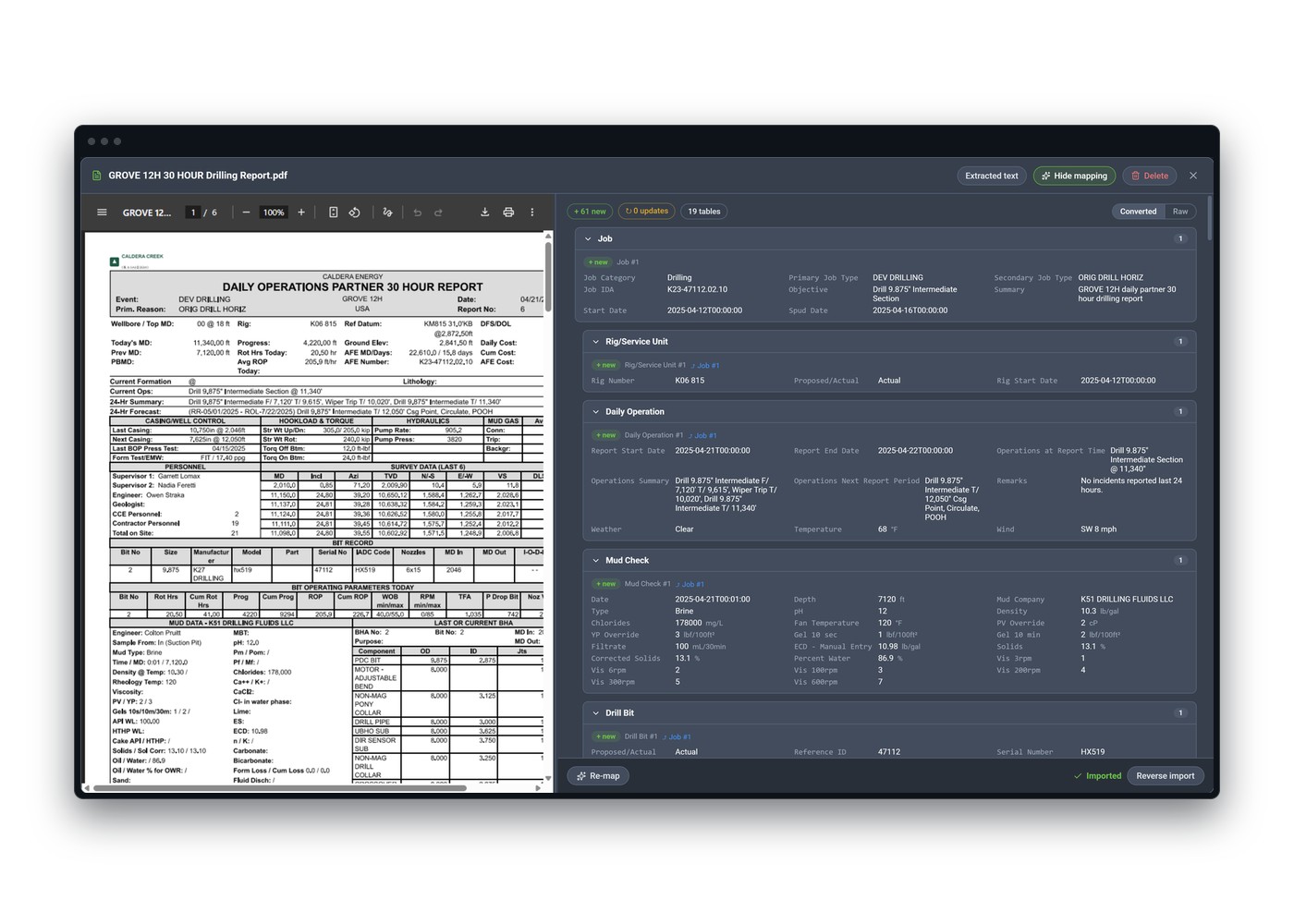
A partner's daily drilling report open in Partner Data Exchange beside the WellView records mapped from it.

Questions Teams Ask Before Choosing WellView

Client Testimonials

WellView is easy to implement. Having our drilling data in WellView has given us time efficiency to generate final well report, internal well report, etc.

– Drilling Technical Analyst

WellView reports and our purpose-built integrity dashboards will allow easy user access to the well status and provide a consistent, up-to-date picture of our well integrity status to all levels in the organization.

– Wells & Integrity Lead

WellView provides a platform to standardize our well maintenance and integrity data management as well as our failure management workflows.

– Completions & Integrity Lead

See WellView in Action

Tell us how your teams capture, validate, visualize, and report well data. A Peloton specialist will tailor the conversation to your workflows, users, and operating environment.

Request a WellView Demo

A Peloton specialist will follow up to schedule.